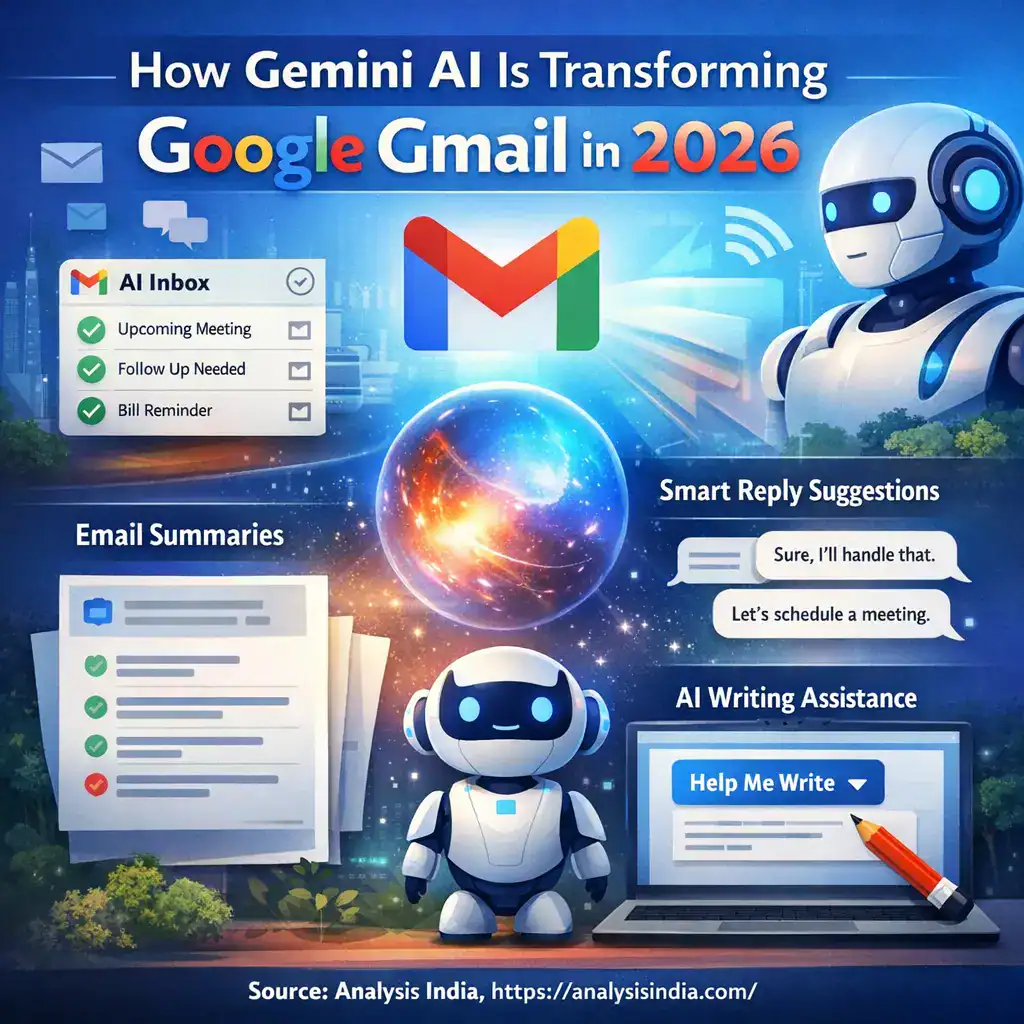
Analysis India: Gemini AI in Gmail is changing how people use email in 2026. Gmail is moving from a simple inbox to a more proactive assistant that can summarize long threads, suggest replies, help draft emails, and surface what matters most. Google is also testing a new AI Inbox experience that turns email into a to do style view with topic highlights. The integration of Gemini AI into Gmail reflects wider AI market adoption trends in 2026, as organizations and technology platforms embed intelligent capabilities into everyday tools and workflows.
This shift matters because email is still the main work channel for millions of users and businesses. When Gemini AI in Gmail reduces reading time and improves writing quality, it changes speed, clarity, and decision making across teams. Google describes this as a new era for Gmail where the inbox becomes more context aware and action oriented.
What is Gemini AI in Gmail in 2026
Gemini AI in Gmail refers to a set of built in AI capabilities that help you write, reply, summarize, and find information faster inside Gmail. In 2026, the most visible Gemini AI in Gmail experiences include AI Overviews for email threads, drafting support like Help me write, contextual suggested replies, and a proof-reader style writing assistant in some plans.
A major new direction is the AI Inbox concept. Instead of showing emails only as a list, Gmail can generate a personalized view that highlights tasks, important topics, and items that likely need follow up. This is being tested first and it is not yet universal across all account types.
Google also highlights that smart reply and AI writing can be more contextual, meaning the suggested text is based on the email content and your intent rather than generic templates.
Why Google is pushing Gemini AI into Gmail now?
Google is making Gmail more assistive because modern inboxes are overloaded with updates, approvals, meeting changes, receipts, and long discussions. Gemini AI in Gmail is meant to reduce the effort needed to understand and respond.
A practical sign of this strategy is how Google is expanding which features are available for free users and which stay in paid tiers. In early 2026 reporting, some Gemini powered features like Help me write and thread summaries are being made more widely available to consumer Gmail users, while advanced capabilities like deeper inbox querying and premium proofreading may remain tied to paid plans.
For businesses, Google continues to bundle Gemini AI features into Google Workspace plans and positions Gemini as part of the core productivity stack, not an optional extra.
Google Gmail key benefits for users
1. Faster understanding of long conversations with thread summaries
One of the biggest improvements from Gemini AI in Gmail is the ability to summarize long threads. Instead of scanning dozens of replies, Gmail can show an AI Overview that captures key points and changes over time.
This is especially useful for:
- Group planning threads that keep changing dates
- Customer service issues with many back and forth messages
- Family or community threads that grow over weeks
The benefit is not only saving time. It also reduces missed details when a thread becomes noisy.
2. Better writing with Help me write and contextual replies
Gemini AI in Gmail can draft a full email from a short prompt. It can also rewrite a draft to sound more professional, more concise, or more polite depending on what you need. Google promotes this as a way to write faster with smart personalized suggestions.
Contextual suggested replies are also improving. Instead of short one line replies, Gmail can propose replies that match the situation and include the right details.
3. AI Inbox that highlights tasks and topics
The AI Inbox idea is a major product shift. Gmail can scan your incoming emails and suggest what you may need to do next, like responding to a message, scheduling something, or acting on a bill or appointment. It also highlights key topics and links suggestions back to the original emails for context.
This turns email from passive reading into guided action.
4. Smarter search experiences inside Gmail
In 2026 coverage, Gmail search is getting AI Overviews that answer questions about your emails more directly, rather than showing only a list of search results. This helps when you remember the intent but not the subject line.
5. Proofreading and tone support
Gmail is adding proof-reader style assistance that suggests improvements while you write. In current reporting, this appears as a premium tier benefit in some cases, alongside other advanced tools.
For many users, this is less about grammar and more about clarity. It helps avoid emails that sound rushed or unclear.
6. Better control with AI settings and opt out options
Google notes that AI features can be turned off and that disclaimers may appear to remind users that AI can make mistakes. This matters because email is sensitive, and many users want control.
What Gemini AI in Gmail means for businesses?
Gemini AI in Gmail is not just a user convenience feature. It changes how teams communicate, how quickly decisions happen, and how consistently a company voice appears across customer emails.
1. Higher communication quality across teams
Many businesses struggle with inconsistent email writing. One support agent sounds too casual. Another sounds too harsh. Gemini AI in Gmail helps standardize tone and structure, especially for customer facing roles.
Typical business use cases include:
- Customer support replies with clear steps
- Sales follow ups that are polite and specific
- Vendor negotiation emails that stay professional
- HR emails for interviews and onboarding
This is not about replacing human communication. It is about improving the first draft so people can focus on correctness.
2. Faster handling of complex threads
In B2B work, email threads can include multiple stakeholders and long histories. Thread summaries reduce the time needed for new team members to understand context, and help managers review decisions quickly.
3. Reduced inbox overload for executives and managers
The AI Inbox concept is especially relevant for leadership roles because it prioritizes follow ups and highlights high importance items. If this expands beyond testing and becomes common, it could change executive inbox workflows significantly.
4. Google Workspace bundling makes Gemini more accessible
Google has been integrating Gemini into Workspace plans and adjusting packaging and pricing as it expands AI capabilities across apps. This makes Gemini AI less of a pilot tool and more of a standard productivity layer for many companies.
For decision makers, the key question becomes governance, training, and risk control rather than whether to experiment.
5. Security, privacy and compliance become board level topics
When AI reads and summarizes email, businesses will ask:
- Where is the data processed
- Who can access summaries
- How are logs handled
- What admin controls exist
Google emphasizes privacy protections in public coverage, including claims about not using Gmail content to train Gemini models, and it also highlights user controls for smart features.
If you are in a regulated industry, the right approach is to coordinate with IT and compliance teams before wide rollout.
Key person statements and what they signal
In early January 2026 coverage, Google CEO Sundar Pichai described Gmail entering a Gemini era and framed the update as making Gmail more proactive with drafting, summarizing, and prioritizing.
What this signals for market watchers is simple. Google is treating Gmail as an AI assistant surface, not only as a communication tool. That means future Gmail updates will likely focus on:
- Decision support inside the inbox
- Deeper personalization
- More automation around follow ups and tasks
Complete guide to using Gemini AI in Gmail in 2026
This is a practical guide focused on how most users will actually use Gemini AI in Gmail day to day.
Step 1. Confirm your account eligibility
Gemini AI in Gmail features vary by account type and region.
Common eligibility patterns reported include:
- Some AI features available for consumer Gmail accounts, with certain features limited to the US during rollout
- Google Workspace users needing an eligible plan for features like AI Overviews in threads
- Some advanced features tied to Google AI plans or premium tiers
If you do not see Gemini options, the most likely reasons are rollout timing, region, or plan limits.
Step 2. Use thread summaries for instant context
When you open a long email conversation, look for the AI Overview summary experience. Gmail can summarize key points and replies.
Best practice:
- Read the summary first
- Scan the latest email after that
- Verify any commitments or numbers inside the original thread before replying
Step 3. Draft faster with Help me write
Use Help me write when you want a strong first draft.
Examples of prompts you can use:
- Write a polite follow up asking for an update on the invoice
- Draft a short email to confirm the meeting time and agenda
- Write an apology email to a customer and offer next steps
Google positions Help me write as a way to draft emails quickly, then you personalize.
Step 4. Improve tone with rewrite options
After a draft is created, use rewrite suggestions to adjust tone. This is valuable for:
- Escalations that require calm language
- Customer emails that need empathy
- Management updates that should be concise
Always add a human review. AI can be fluent but not always correct.
Step 5. Use contextual suggested replies to respond quickly
When Gmail shows suggested replies, treat them as draft building blocks. If the suggestion is almost correct, expand it with one extra line that adds context or a clear next step.
This keeps your email human and reduces the risk of sounding automated.
Step 6. Explore AI powered inbox views if you get access
If AI Inbox is enabled for your account, use it as a daily planner:
- Check the suggested to do items
- Open the linked email for context
- Decide what to reply now and what to schedule for later
Remember that this feature has been reported as being tested and rolling out gradually, so it may not appear for everyone immediately.
Step 7. Manage privacy and controls
If you prefer fewer AI features, look for Gmail settings related to smart features and personalization. Reporting also highlights that users can disable AI features, and Gmail may show disclaimers about AI accuracy.
A practical approach is:
- Keep AI writing on
- Keep summaries on for long threads
- Disable features you do not trust yet, especially for sensitive topics
Risks, limitations, and how to use Gemini safely
Gemini AI in Gmail is useful, but it is not perfect.
Hallucinations and wrong summaries
AI can summarize incorrectly, especially if a thread contains sarcasm, changes in plan, or multiple competing decisions. That is why multiple sources note disclaimers and the need to verify.
Best practice:
Always confirm dates, prices, and commitments inside the original email text.
Privacy concerns
Users naturally worry that email content might be used for training. Public reporting around the 2026 update includes Google statements that Gmail content is not used to train Gemini models, and it also notes that AI can be disabled.
For businesses, treat this as a policy topic. Align with your company rules.
Over automation and loss of personal touch
If a team sends too many AI drafted replies, customers may feel they are talking to a machine. A good rule is to keep the AI draft, but always add a personal line that references the specific customer situation.
How businesses can use Gemini AI in Gmail?
Customer support team in retail
A support agent receives an email about a delayed order. Gemini AI in Gmail can draft:
- A clear apology
- A short explanation
- A next step timeline
The agent then edits for accuracy and adds the order details.
Sales team in IT services
A lead asks for pricing and scope. Gemini AI in Gmail can create:
- A structured reply
- A list of questions to clarify requirements
- A proposed meeting request
The salesperson then ensures the scope aligns with the company offer.
HR team in healthcare
HR receives interview rescheduling requests. Gemini AI in Gmail can draft:
- A polite confirmation
- New time options
- Next steps for documents
HR edits to match policy language.
These are simple examples, but the impact grows when many employees send many emails daily.
What to expect next from Gemini AI in Gmail
Based on the direction described in current coverage, Gmail is moving toward:
- More proactive task detection
- More AI guided inbox workflows
- Wider rollout of AI Inbox like experiences
- Broader availability across account types over time
For users, this means Gmail becomes less about sorting emails and more about completing actions.
For businesses, it means Gmail becomes part of the AI productivity stack where governance and training matter.
Conclusion
Gemini AI in Gmail is transforming Google Gmail in 2026 by shifting email from reading and typing to understanding and acting. Thread summaries reduce context switching. Help me write and contextual replies accelerate drafting. AI Inbox experiments aim to make the inbox task focused and topic aware. The evolution of smart email assistants highlights the future of AI adoption across industries, where intelligent agents assist users in complex workflows and decision support.
If you use Gemini AI in Gmail with a human review mindset, it can improve speed and clarity without losing control. The key is to treat Gemini as an assistant for drafts and summaries, not as an authority.
FAQs: How Gemini AI Is Transforming Google Gmail in 2026
Is Gemini AI in Gmail available for everyone in 2026
Some features are rolling out widely for consumer Gmail users, while other features depend on region, eligibility, and plan. Workspace access also depends on the plan.
Can I turn off Gemini AI in Gmail
Reporting states AI features can be disabled, and Gmail provides controls and disclaimers.
What is the biggest benefit of Gemini AI in Gmail
For most users, the biggest benefit is faster understanding of long email threads through summaries, plus faster drafting with Help me write.